

Email Login
Help customers get into their portal without another password reset conversation.
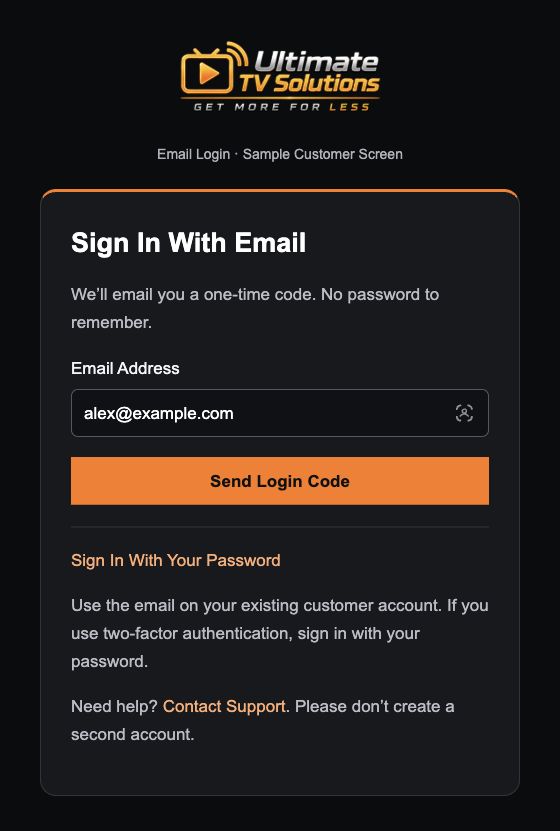
A customer enters their registered email address, receives a six-digit code and uses it to sign in to their WHMCS customer portal. Password sign-in remains available.
What It Does
- Offers a one-time code sent to the customer’s registered inbox.
- Uses codes that expire after 10 minutes and can be used once.
- Lets you test with a selected customer before enabling it more widely.
- Keeps password sign-in available for customers who prefer it or need it.
Why a Reseller Would Buy It
- Helps customers whose accounts were created for them by staff.
- Reduces the need to guide customers through password resets.
- Makes it easier to reach invoices and account information from a phone.
- Gives customers a familiar sign-in option before they contact your team.
Customers need access to their registered inbox. Eligibility and existing account protections are checked; some accounts still require password sign-in.
Payments
Give app payments a clear path from receipt to paid invoice.
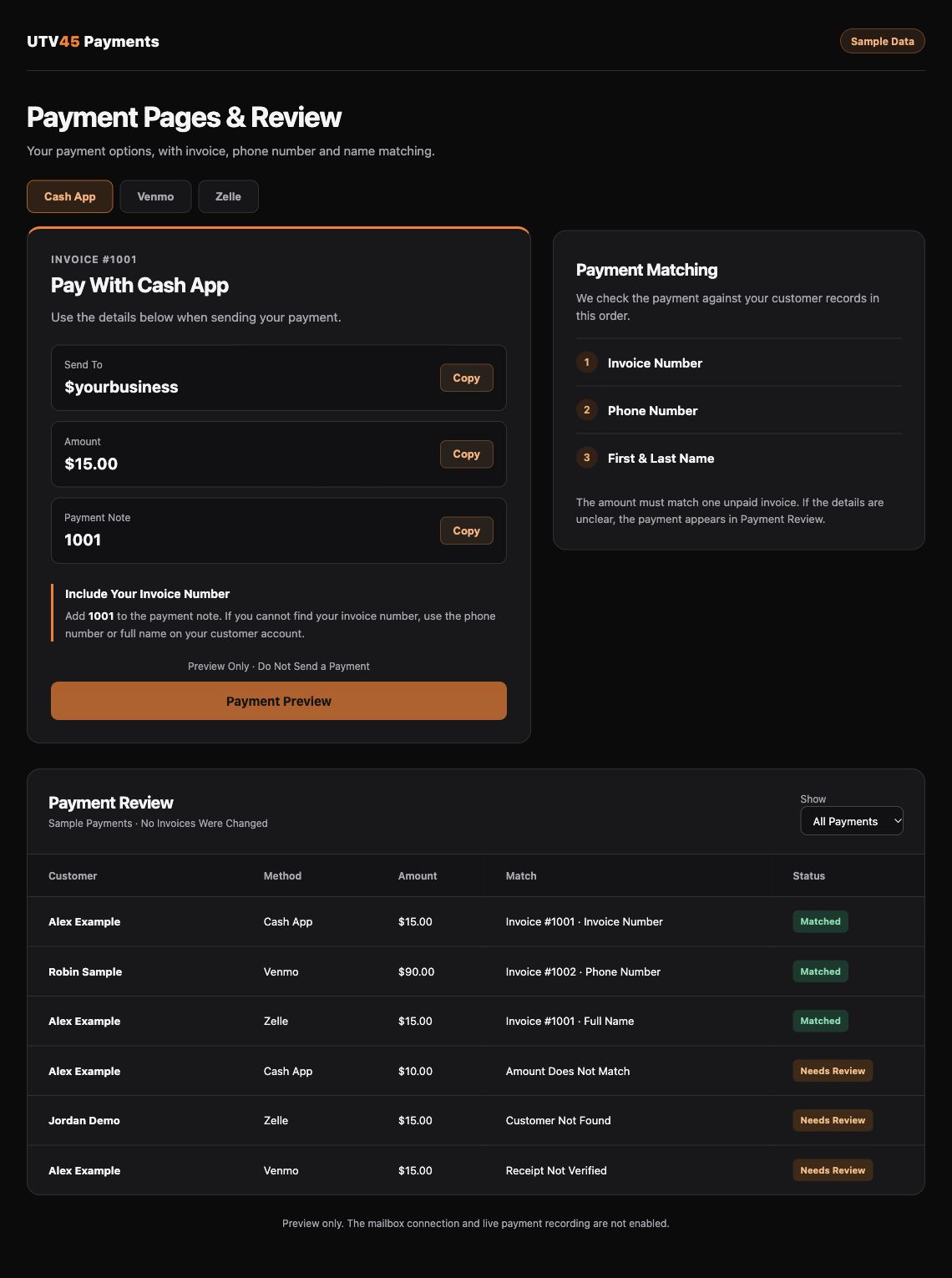
Use supported payment receipt emails to match incoming payments to WHMCS invoices. Customers can see payment choices on their invoice and use “I’ve Paid — Check Payment” after sending their payment.
What It Does
- Supports the receipt formats implemented for Cash App, Venmo and PNC Zelle.
- Looks for an invoice number first, then an account phone number or exact full name.
- Automatically records a clear match to one unpaid invoice with the exact remaining balance.
- Provides a payment confirmation screen and the WHMCS payment confirmation email when the invoice is paid.
- Checks for duplicate receipts and leaves unclear matches for staff review.
Why a Reseller Would Buy It
- Spends less staff time searching receipts and marking invoices paid.
- Gives customers payment instructions and a way to check confirmation.
- Can match a direct app payment even when the customer never opens the portal.
- Keeps invoice status and payment records together in WHMCS.
- Helps prevent the same receipt from being recorded twice.
Confirmation depends on the receipt arriving and a clear match. Partial payments, overpayments and ambiguous matches need review. Zelle support depends on the bank’s receipt format; other banks must be checked. The module records money already received and does not debit a customer or set up recurring charges.
Referral Rewards
Give happy customers a reason to share your business—and a way to see their progress.
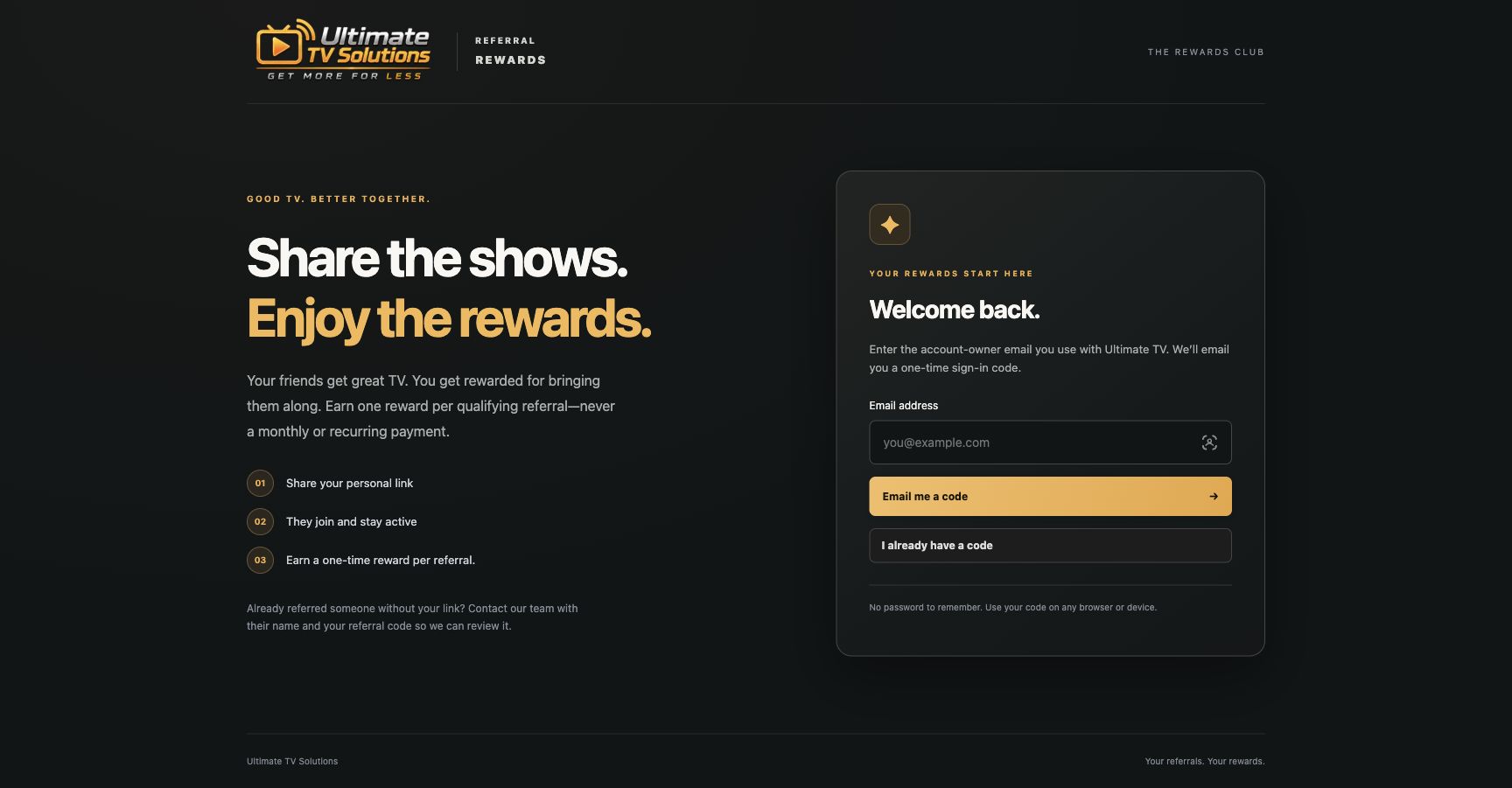
Connect WHMCS service and payment records to a referral portal. Customers can share their referral link, see qualifying referrals and track their rewards.
What It Does
- Gives customers a referral link they can share.
- Tracks referral progress from signup through qualifying service payments.
- Shows earned rewards, available balances and payout requests.
- Checks WHMCS service and payment records before a reward qualifies.
- Keeps unresolved or ambiguous records available for staff review.
Why a Reseller Would Buy It
- Turns “send a friend” into a referral program with clear records.
- Lets customers see progress without repeatedly asking your team.
- Connects rewards to your program’s qualifying paid-service rules.
- Helps your team explain why a reward is pending or available.
- Encourages word-of-mouth growth without promising a reward for every signup.
Requires a connected referral portal and mapped WHMCS products. Qualification rules are set for your program. Payout requests are reviewed and paid manually; the module does not automatically transfer reward money.
Customer Desk
Answer “Is the account active, paid and being used?” from one staff workspace.
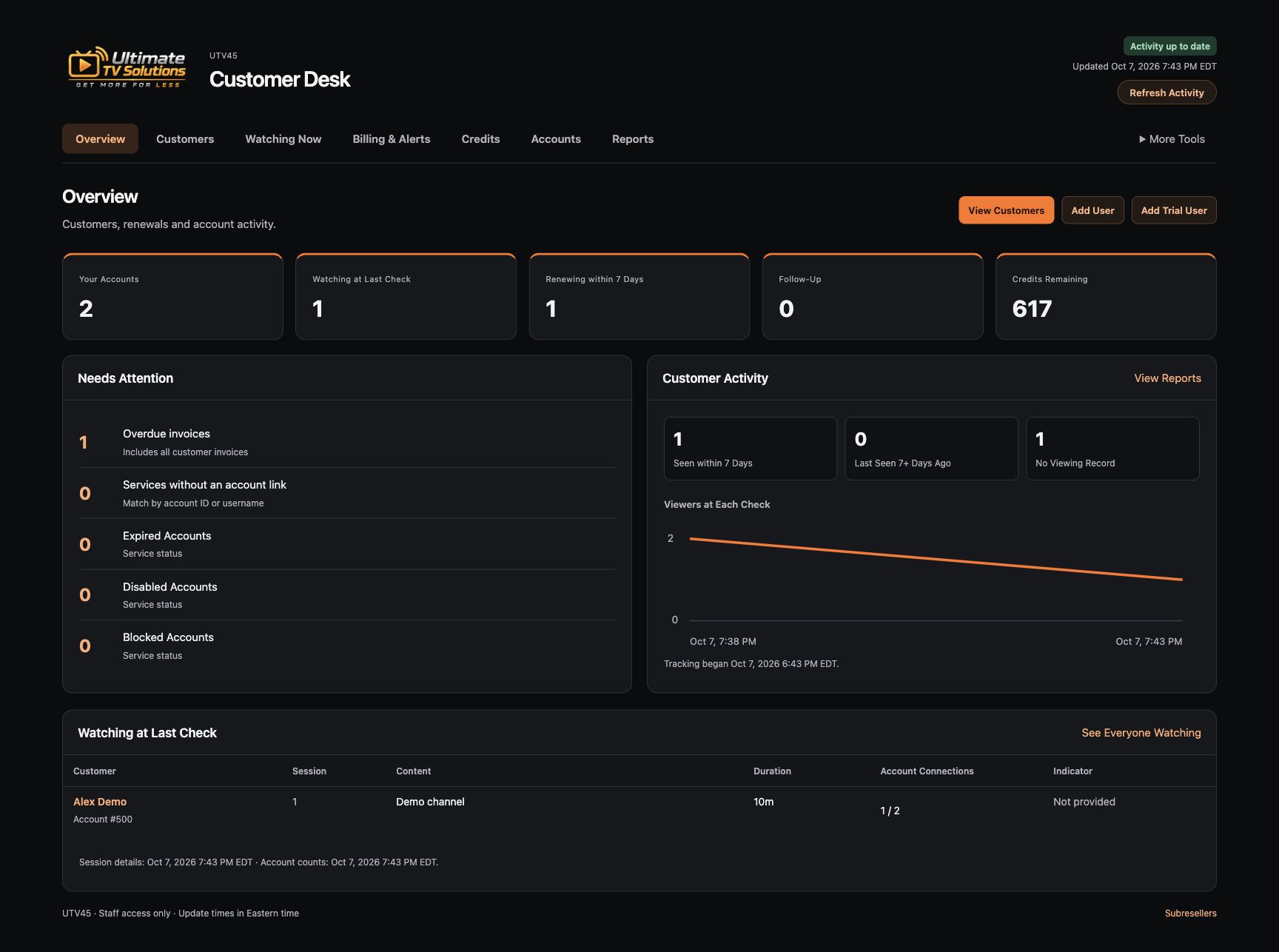
Bring linked WHMCS customer and billing details together with data available from a supported NXT reseller account. Search customers, check activity and handle permitted account changes.
What It Does
- Shows customer names alongside linked service accounts and billing details.
- Displays expiry and disabled account status supplied by the panel.
- Shows observed last-viewing activity and recent reports.
- Lists the available sessions for a customer, including content on multiple connections.
- Provides column filters, credit balances and monthly credit usage where reported.
- Supports permitted account creation, trials, renewals, password changes and other owned-account controls with a review step.
Why a Reseller Would Buy It
- Reduces switching between billing pages and the service panel.
- Helps identify customers who may need a renewal or a service check-in.
- Makes support conversations easier by linking usernames to customer names.
- Helps separate an unpaid invoice from an expired or disabled service.
- Gives staff a clearer view of credit use and account activity.
- Keeps account controls limited to the accounts the connected reseller is allowed to manage.
Activity is a refreshed view, with an update time shown. Historical activity is limited to what the source provides or what tracking has recorded. Connection indicators are provider-reported values, not an internet speed test. Available actions and reports depend on panel permissions and compatibility.
Your Brand, Your Style.
We can customize the modules to look and sound like your business. The screens shown here use UTV45 branding; your version can use your own name, logo and design.
Your Logo & Business Name
Put your identity on customer screens, staff pages and the module’s customer-facing messages.
Your Colors & Fonts
Match your website or WHMCS theme with your preferred colors, typography and button styles.
Your Layout
Adapt screen layouts, navigation and the way account information is presented to fit your workflow.
Your Wording
Use your business’s tone in headings, payment instructions, sign-in messages and customer emails.
Send your logo, website link and any design examples with your inquiry. We’ll discuss the branding work, compatibility, cost and delivery scope before you purchase.
Spend Your Time on the Customer.
As your customer list grows, password help, receipt matching and account lookups take more of your day. These modules target that work directly.
Less Repetitive Work
Give customers a sign-in option, match clear payment receipts and keep referral progress visible.
Clearer Support Answers
Find billing status, expiry and available viewing details together before you answer a customer.
A Better Customer Experience
Give customers clear ways to reach their account, confirm a payment and follow their referral rewards.
More Room to Grow
Use tracked referrals and customer activity to guide follow-up as your business expands.
Compare the time your team currently spends on these tasks with the quoted module and setup cost. Start with the task that takes the most time. Results will depend on your customer volume and setup.
Start With the Right Fit.
- Tell Us About Your Setup. Share your WHMCS version, hosting details, service panel and the payment methods you use. Include your logo and website if you want custom branding. Keep passwords out of your inquiry.
- Choose Your Modules. Ask about one module or the full set. We’ll discuss compatibility, required connections, pricing and release availability.
- Review a Demo. See the relevant customer or staff workflow before deciding.
- Plan Installation & Testing. Agree on configuration and a test plan for your own business before enabling customer access or payment processing.
The modules are being prepared for reseller distribution. Licensing, supported versions, installation scope and ongoing support terms will be confirmed before purchase.
Contact Us for Pricing.
Tell us which modules interest you and request a demo. We’ll help you decide what fits your business.